HypeHype Animation Devlog #2
It’s already time for another HypeHype animation update! The recent focus was on the Hypet and interactions in the Hype Home.
Home Interactions
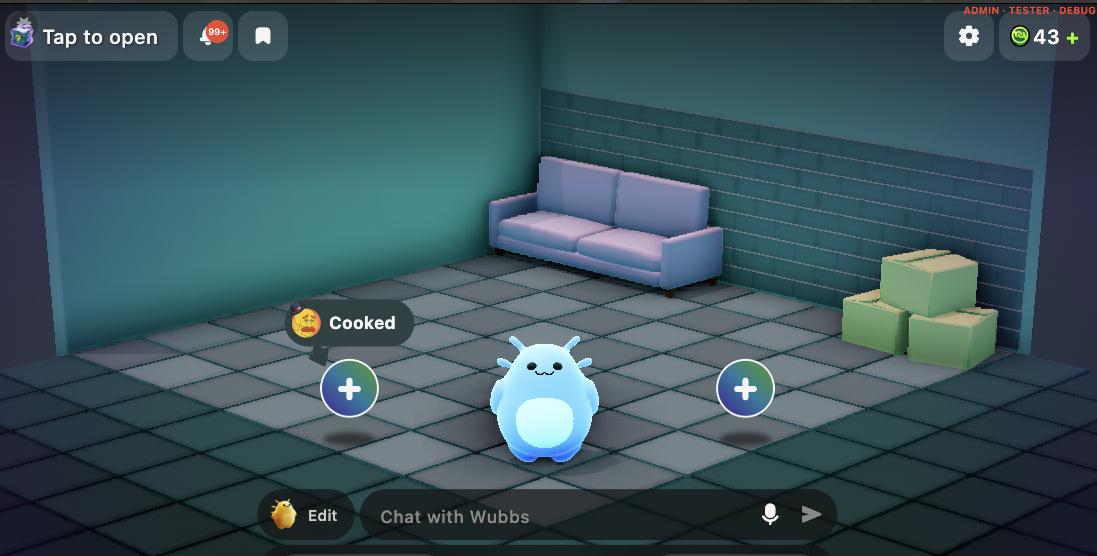
The Hypet is your personalized virtual gaming companion and it lives in a home that can be freely decorated with items such as furniture, art work, and fun appliances like radios.
Naturally, we want the pet to interact with home items. After all, what good is a couch if you cannot sit on it?
From an animation point of view, it’s crucial that we seamlessly blend in and out of these interactions.
Warping
An animation that makes the pet sit down on a chair is authored in Blender with the pet and chair in a certain position (in the following I talk about position, but the same applies to rotations as well).
Say, for example, the animation starts with the pet standing 1m in front of the chair.
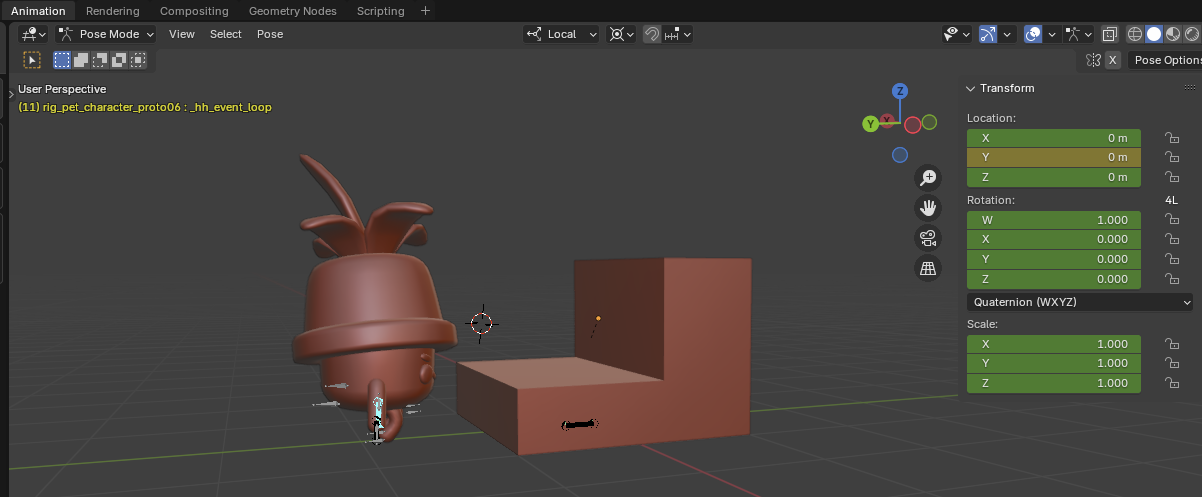
The gameplay logic plays the animation when the pet enters a trigger volume and therefore the animation starts playing with the pet a bit off from the perfect starting position.
In order for the pet to make contact with the chair at the end of the animation we need to slide (or “warp”) it into position.
In order to figure out the difference between the position wanted by the animation and the pets actual position, we add a helper bone to the pet rig. By convention, bone is called hh_warp.
The bone is unskinned and constrained to the chairs position. As a result, we have a bone in the rig that tells us at any given time in the animation the position of the chair relative to the pet.
With this warping bone the gameplay can figure out where the animation wants the pet to be and nudge it accordingly.
Having the warping information tied to a bone makes the content setup very simple and robust.
Instead of warping the animation at the beginning, we can better hide it during frames with lots of movement and ideally no foot contact.
In order to do so we need a way to tag animation ranges and I talk about these so called animation events below.
Root Motion
When the pet is walking towards the chair, the animation needs to move the game object. Otherwise, the pet would appear to snap back when the animation ends.
Therefore, I added root motion extraction in the last update. The idea is that the rig contains a root bone, called hh_root by convention, that is the animated capsule. From it, the animation importer can extract the movement relative to the character for every frame and pass it to the game.
In the video below you see the difference where the red sphere marks the game objects position. You can tell that the closer character updates their position, while the character in the back remains stationary with only the bones moving.
Events
Sitting on a chair has distinct phases: getting on the chair, sitting on the chair, and getting off the chair. The middle part, the sitting, is not static but animated as well (breathing, looking around).
We want the pet to remain sitting until some other action prompts it to get off, so the sitting part needs to be a looping animation.
Instead of stitching animations together, which requires setting up multiple animation resources in content, it’s easier to author a single animation and annotate what frames are the looping part in the middle.
Other engines like Unreal have visual editors to add ranges and events after importing. I needed to take a shortcut and decided to have animators tag ranges in Blender instead.
Unfortunately, neither fbx nor gltf have a way of storing simple curves (single value varying over time).
As a workround, we bake animation curves on the y-axis of bones. The names of these helper bones start with _hh_event by convention and are treated specially by the animation importer. The helper bones get stripped from the in-game rig!
The curves we currently use control the looping and warping sections of a clip.
Blending
Unlike our playable characters, the pets have facial bones that enable talking with moving lips, and expressions such as happy or sad.
These facial expressions are playing on top of other animations, so that the pet can, for example, talk while walking or emoting.
Therefore, the animation runtime now supports simple animation blending via a second animation layer. This new layer has an independent animation clip and playback state, and can be configured to play on a subtree of the rig via a branching bone. For facial animations then, the branching bone would be the neck.
In the future, this system will be extended to allow for upper body animations in our games such as shooting and reloading while running.
In the video you see the new layer in action, where it's not possible for the first time to control the arms and legs individually.
One-off Animations
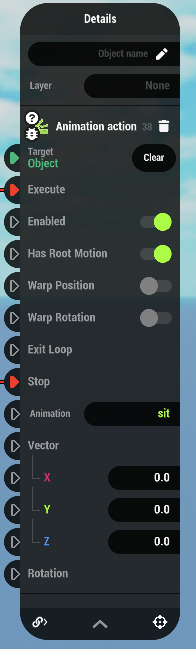
There’s one smaller feature I added that ties the prop interactions together and makes them more robust and simple to setup: The new Animation Action node can be used to play a one-off animation on a character, and restores the character’s previously plaing animation when the action ends. This new node replaces a lot of custom scripting code and makes it easy to author prop interactions as reusables that don’t know which character might interact with them.
That's a warp wrap!
That’s a wrap for this update! I went over the new features I added to the animation system (warping, root motion, events, blending, and one-off animations) that will help our animators to bring the Hypet and HyHome to life, hopefully to the delight of our players, and consequently increasing their retention on the platform.